Summary of this post
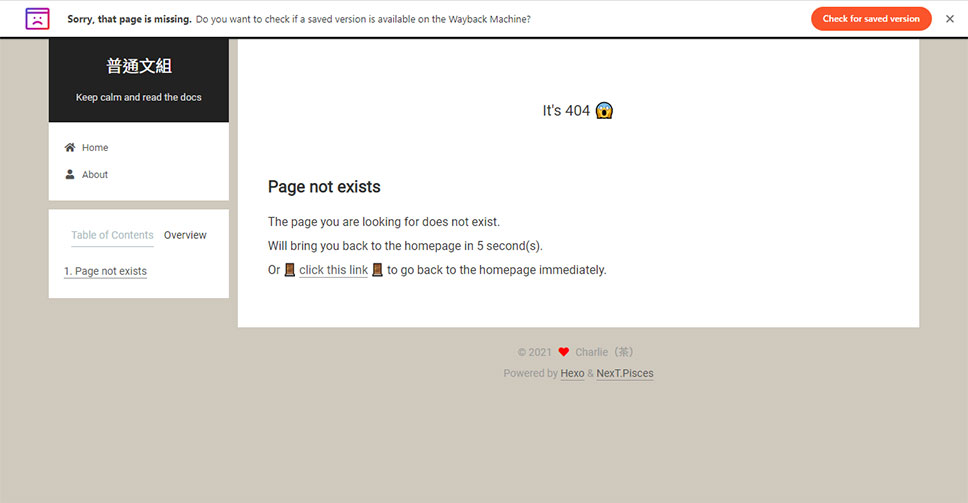
The workflow of adding a 404 handling page for the hexo blog.
Environment
hexo: 5.3.0hexo-cli: 4.2.0os: Windows_NT 10.0.18363 win32 x64Workflow
-
Create a 404.md file in the
sourcefolder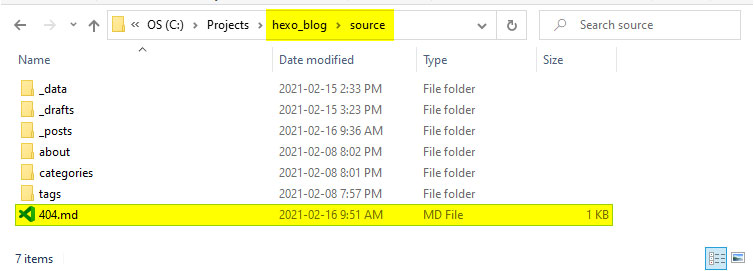
-
Add page content for the 404.md file:
permalink: /404.htmlin line 3 is required.- Fill in the correct URL (
https://<your GitHub username>.github.io/) for redirection in line 9 and line 19 - The value of
countTimein line 12 can be updated to the preferred waiting time. I just leave the waiting time as 5 seconds without changing it.
---title: 404permalink: /404.html---
## Page not exists
The page you are looking for does not exist.Will bring you back to the homepage in <span id="timeout">5</span> second(s).Or [click this link](https://<your GitHub username>.github.io/) to go back to the homepage immediately.
<script>let countTime = 5;
function count() {
  document.getElementById('timeout').textContent = countTime;  countTime -= 1;  if(countTime === 0){    location.href = "https://<your GitHub username>.github.io/";  }  setTimeout(() => {    count();  }, 1000);}
count();</script>- Save the file. Run
hexo generateandhexo deployto push the 404 handle page to the repository. Done ☕
Reference
- For the copy: 404 Page by Kasper De Bruyne
- For the
404.mdfile location and the instruction of deployment: https://github.com/ppoffice/hexo-theme-icarus/issues/66#issuecomment-165919312 - For the JavaScript of auto-redirect: (23) 試著學 Hexo - SEO 篇 - 新增你的 404 頁面